What is PPV on OnlyFans, and how to sell it in chat
PPV is the line in every chatter job post and every agency report, and new people often nod along without knowing exactly what it means. PPV, pay-per-view, is content a fan pays for on top of the subscription. On most agency accounts it is the biggest income stream, and almost all of it is sold one-on-one in messages. Here is what PPV is, how agencies price it and how a chatter sells it without turning a conversation into a price list.
PPV in one paragraph
A subscription opens the model’s feed. PPV is anything locked behind an extra price: a set of photos, a video, a bundle. The fan sees a blurred preview and a price, pays, and the content unlocks for him. On OnlyFans and Fansly it can live in two places: as a locked post in the feed, visible to all subscribers, or as a message sent to one fan or to a segment. The platform keeps its share of each purchase, the same as with subscriptions and tips.
Agency guides agree on one thing: on a well-run account most of the money comes from private messages, not from the subscription price. That is why agencies hire chatters in the first place.
Where PPV is sold
- Feed posts. One price for everyone. Good for announcing a new set, weak for selling, because nobody talks to the fan.
- Mass messages. One offer to a segment: new fans, buyers, fans who went quiet. Useful for reach, but generic.
- One-on-one in chat. The offer follows the conversation. This is where the highest prices and the best conversion are.
How chatters sell PPV in DMs
A good PPV sale does not start with a price. It starts with a conversation in which the fan has already said what he likes. The chatter links the offer to that, sends it, and keeps talking.
- Wait for a signal. The fan asks what the model is doing tonight, mentions a past set, or stays online and chatty. That is the moment.
- Tie the offer to his words. “You said you liked the beach shoot. I kept a few that never made the feed.” Then the locked message.
- Follow up once. A short line half a minute later keeps the moment alive. If there is no answer, change the subject, do not push.
- After a purchase, pause selling. Thank him, talk, let the next offer come later. A buyer who feels squeezed stops buying.
- After a no, step the price down or change the content. Never resend the same thing at the same price.
A simple price ladder
Most agencies use steps rather than one price. Exact numbers depend on the model, but the shape is similar:
- Entry. A small set at a low price for new fans and anyone who has never bought. The goal is the first purchase.
- Core. The model’s usual sets and videos. Most sales happen here.
- Premium. Longer or rarer content for proven buyers.
- Custom. Requests made for one fan, priced individually.
The rule that saves sales: offer the next step up to someone who just bought, and a step down to someone who just refused.
Three mistakes that burn fans
- Sending the same media twice. The fan already owns it, or already said no. Either way it reads as a bot.
- Mass PPV to everyone, every day. Silent fans learn to ignore messages, and buyers feel like a list.
- Forgetting what happened on the last shift. The night chatter promised a custom, the morning chatter offers a random set.
How Leeward keeps PPV sales clean
All three mistakes are memory problems, and memory is what software is for. In Leeward every PPV in a chat is marked bought or not bought, and the fan panel shows his PPV history as “N sent · M bought”. If a chatter picks media this fan already received, Leeward warns with the date it was sent.
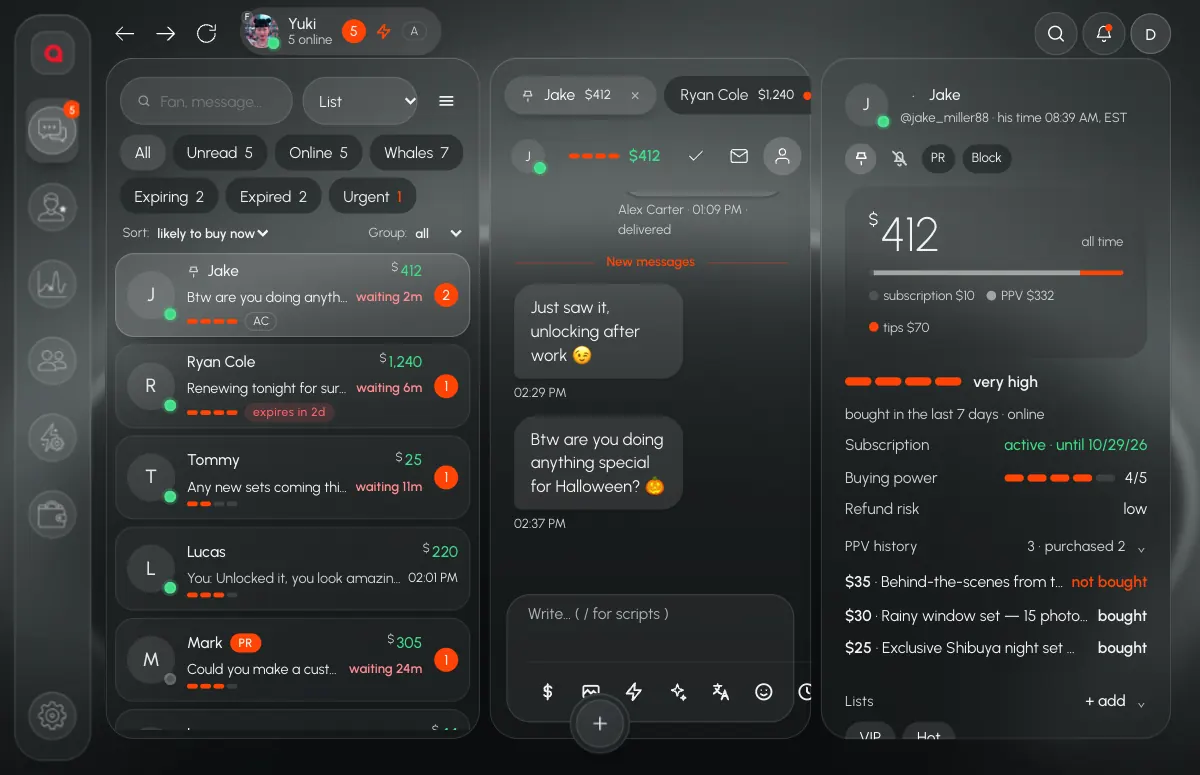
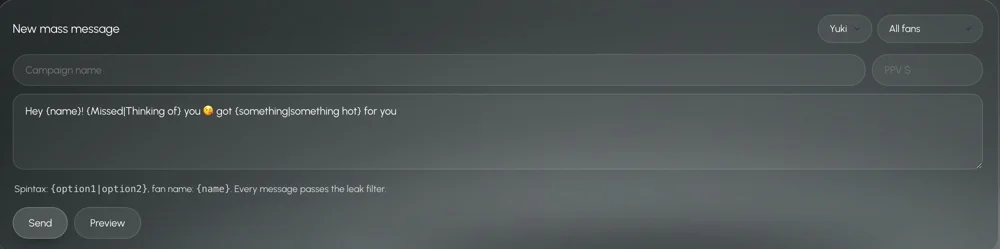
The vault can filter to media this fan has not been sent yet, and on Fansly it sorts by revenue and purchases, so chatters see which sets actually sell. Mass messages go to segments such as new fans, buyers or whales, and the Fansly broadcast window can skip fans who already got that media and pause between recipients.
To turn these steps into ready-made messages, see our chatting manual for beginners. For the inbox that puts likely buyers on top, read our guide to chatting software. Plans are per model, see pricing.
Every connected model starts with a 7-day free trial. Download Leeward and check your next shift’s PPV history fan by fan.