How to stop chatters from taking fans off-platform: the leak filter
Every agency owner has heard the story, or lived it: a chatter builds a warm relationship with a big spender, then moves him to a private messenger, a personal page or a crypto wallet. The fan keeps paying, just not you. This guide explains how it usually happens and how to make it hard to do inside Leeward.
How fans get taken off-platform
Fans rarely leave on their own. Someone gives them a reason and a way. The way is almost always a piece of contact information written into a chat message:
- a link to another site or a private page;
- an email address "in case the app goes down";
- a phone number for a messenger;
- a crypto wallet address for "direct tips";
- a nickname or code word that only makes sense if you know where to look.
It tends to happen with the fans worth the most: whales who trust the chatter and spend every week. One message is enough, and in a busy inbox nobody will notice it later.
Why reading chats after the fact is not enough
Many owners rely on spot checks: a manager scrolls through yesterday's conversations and looks for anything suspicious. That finds some leaks, too late. By the time you read the message, the fan already has the number. The only reliable moment to stop a leak is before the message is sent.
The leak filter in Leeward
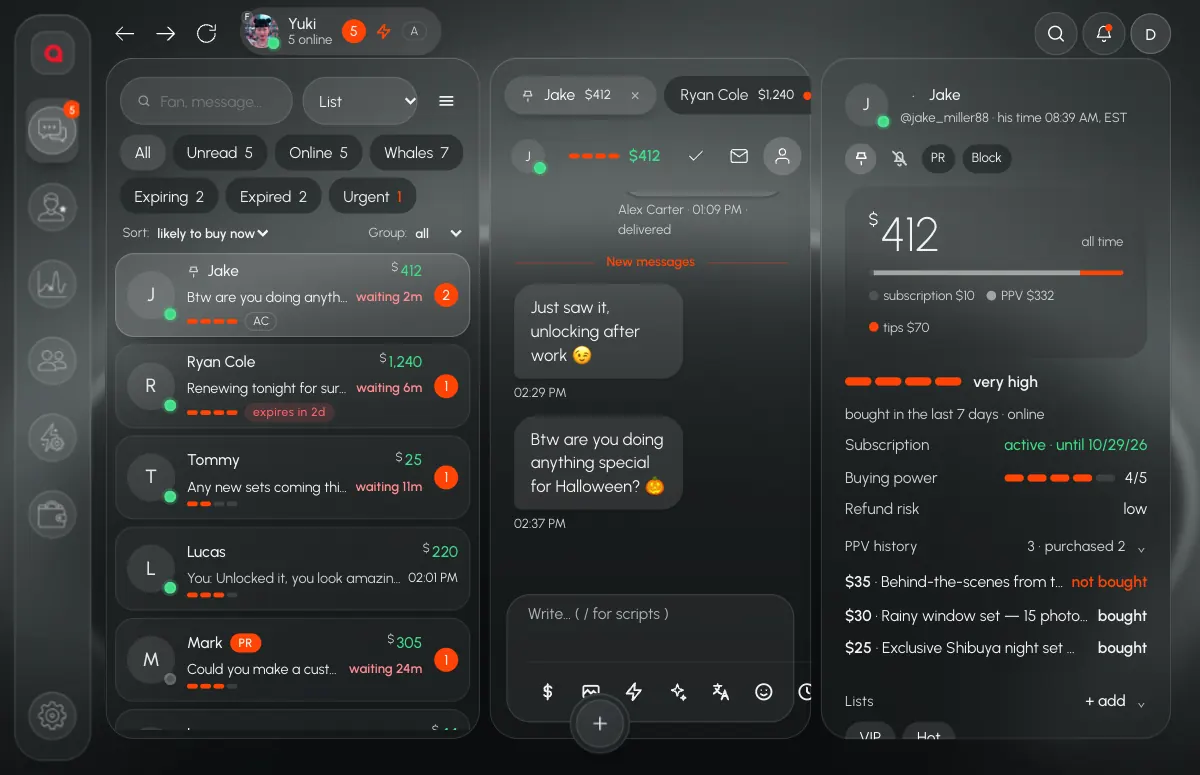
In Leeward every outgoing message passes the leak filter. If it contains something you blocked, it does not go out. You set it up in Automation → Blacklist. The protection settings are simple switches:
- Block websites: links and domain names.
- Block email addresses.
- Block phone numbers.
- Block crypto wallets.
- A separate Telegram protection setting for mentions of the messenger.
On top of that you keep your own list of forbidden words: the names of other platforms, the nicknames your chatters use elsewhere, phrases like "text me". There is also a set of recommended rules you can add with one click and edit.
Test before you trust it
The Check tab lets you paste any text and see what the filter does with it: blocked, with each match and its type, or clean. Use it when you add a rule, so you know it catches the tricky spellings and does not block normal flirting.
The log: who tried, how often, with which fan
A blocked message is also a signal. Leeward keeps two lists:
- Block history: each blocked attempt with its type, the exact fragment that matched, the fan and the time.
- Violating fans: fans who are involved in violations most often, with a count.
The owner can get a Telegram notification when the filter fires. One accidental match is a conversation with the chatter. Five attempts in a week with the same whale is a decision.
Mass messages and automations go through the same filter
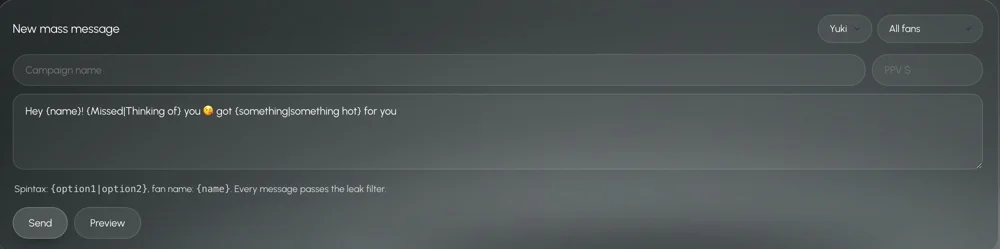
Leaks do not only come from one-to-one chats. A message template, a welcome automation or a mass message written by the wrong person can reach hundreds of fans at once. In Leeward the same filter checks automations and mass messages, not only manual replies.
Close the other doors too
A filter covers what is typed in the chat. Two more settings cover the rest:
- Vault without downloads. Chatters see previews and send media to fans, but cannot download the originals, so content cannot be taken along to another page.
- Close access. When you decide a chatter is out, one button ends all their logins at once. They never had the model's password, so there is nothing else to change. More on this in how to give chatters access without sharing the password.
And watch the shift itself. When a manager can open any chatter's screen live, people behave differently. See how to monitor chatters in real time.
Setup in 15 minutes
- Download Leeward and connect your models.
- Open the Blacklist and turn on websites, emails, phone numbers and crypto wallets.
- Add the recommended rules, then your own forbidden words.
- Paste a few real-looking messages into Check and confirm the result.
- Turn on Telegram notifications for the owner.
- Look at Block history and Violating fans once a week, and talk to the chatters behind repeated attempts.
- Put the rule in writing: moving fans off-platform ends the contract.
The leak filter works the same way for OnlyFans and Fansly, which live in one app in Leeward. Read more on the Fansly CRM page and the OnlyFans CRM page. Plans are priced per model, see the pricing section; each connected model starts with a 7-day free trial.